Connect QuickBooks Online once and Forecastle builds you a working
budget, forecast, cash flow, and board report on your own numbers.
Nothing to export, nothing to rebuild, and no consultant to hire.
Five-minute setup•$0 to set up•Read-only — we never change your books
5 minFrom connecting QuickBooks to your first forecast
$0To set up. No project plan, no consultants.
vs.A week of spreadsheet work every single month
Sound familiar?
Six things QuickBooks was never meant to do.
The monthly exportRun the P&L, export to Excel, fix the formatting. Then do it all again next month.
The three-file budgetBudget in one spreadsheet, reforecast in another, variance stitched together in a third.
The cash questionSomeone asks what cash looks like in six months, and you need a week to answer.
The “what changed?” scrambleThe owner asks why marketing is over budget, and you say you’ll get back to them.
The two-company juggleMore than one QuickBooks company, and the group numbers get added up by hand.
The board-pack scrambleRebuilding the same deck every month, and finding a broken link the night before.
The Forecastle answer
Your numbers show up on their own.
Connect once, and each month’s actuals land in Forecastle without you touching an export.
What comes across when you connect
You don’t prepare anything first. Forecastle reads what’s already in QuickBooks and sets itself up around it.
Your chart of accounts, as it is
Every account comes across with the same name, the same number, and the same place in the roll-up. Your P&L and balance sheet look like your P&L and balance sheet. You don’t have to renumber or restructure anything to get started.
Your Classes and Locations
If you use Class tracking in QuickBooks, those become your departments in Forecastle. Locations stay locations. So you can budget and report by department without ever building another pivot table. (Class and Location tracking come with QuickBooks Online Plus and Advanced.)
Last twelve months of actuals
A full year of monthly P&L and balance sheet actuals arrives on the first connection. That’s what you build the budget from — real history, by month, instead of a blank page and last year’s Excel file.
More than one company
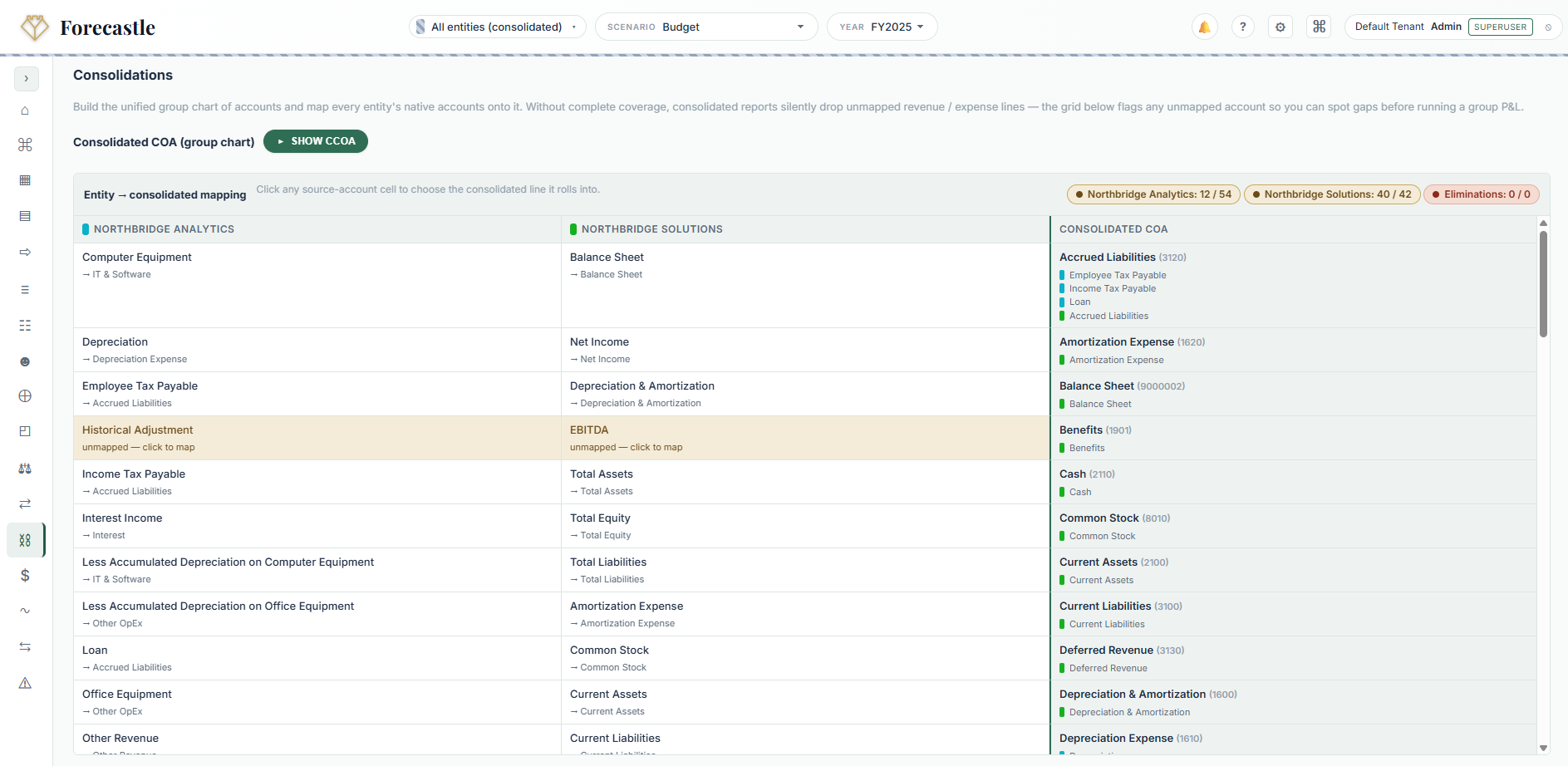
Connect each QuickBooks company on its own. Each one keeps its own chart of accounts — nobody has to standardise anything — and Forecastle adds them up into group numbers, intercompany and all.
Connecting takes about a minute
You sign in through Intuit, the same way you do with any QuickBooks app. Forecastle never sees or stores your password.
Start your free trial and open Forecastle.
Click Connect to QuickBooks in Settings.
Sign in with your usual Intuit login and choose the company you want to plan for.
Wait about a minute. Your accounts and last twelve months land on their own.
Start planning. Build the budget, run the forecast, share the dashboard. Pull fresh actuals whenever you close a month.
Changed your mind? Click Disconnect in the same place and the link is cut straight away — you can reconnect any time you like. Here’s the page you land on afterwards.
Built for finance
Everything you get on top of QuickBooks.
Core covers the day job: budgets, reports, dashboards, cash flow, and Percival. Advanced adds the heavier planning tools when you need them.
AI · in every tier
Percival, your AI co-pilot
Ask “what drove March payroll?” and get an answer from your own numbers. He’ll walk you through setup too, so you don’t have to read a manual.
Core
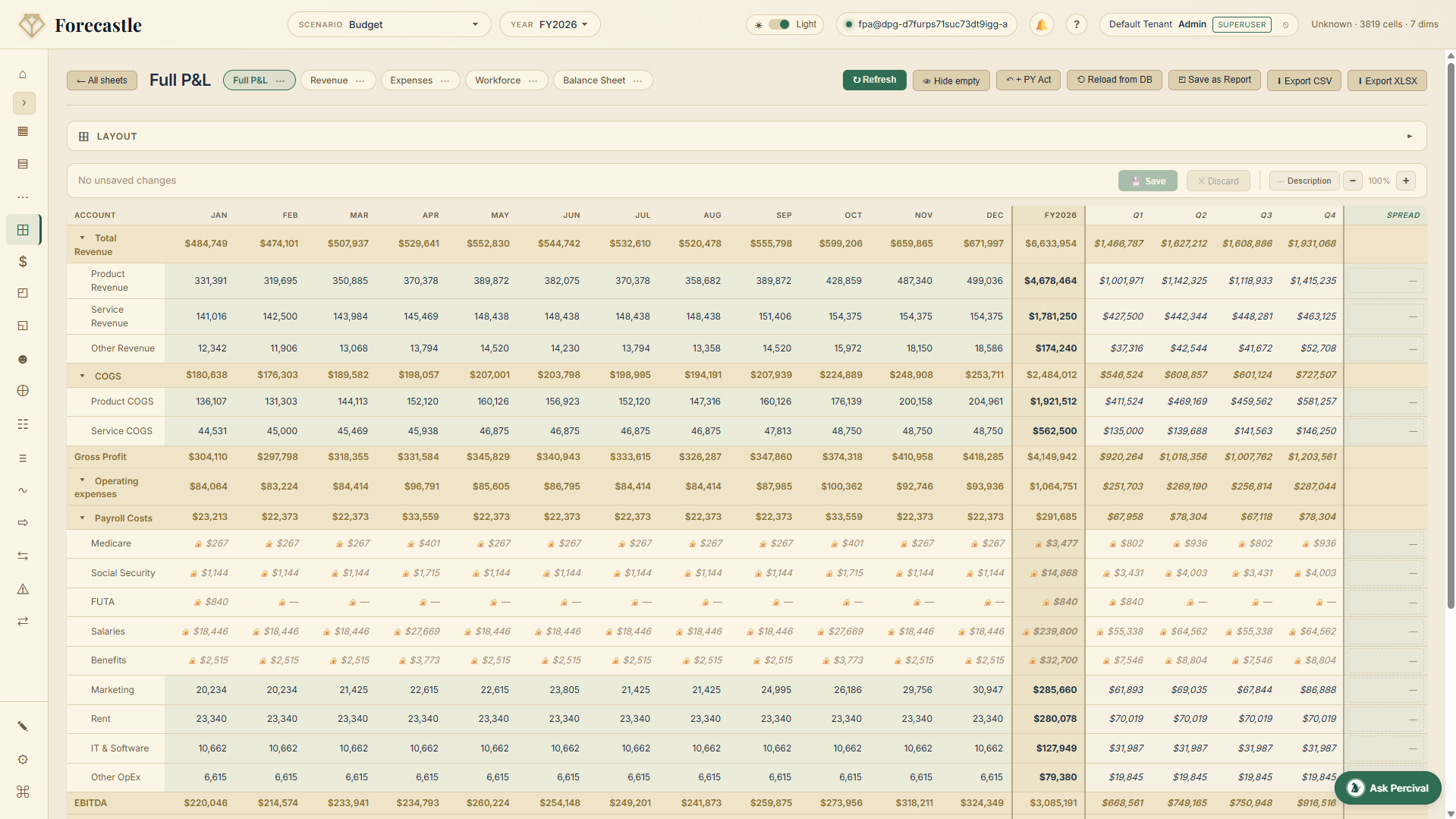
Budget sheets that feel familiar
A grid you can type in, with your QuickBooks accounts already down the side. Click any total to see what’s underneath it.
Core
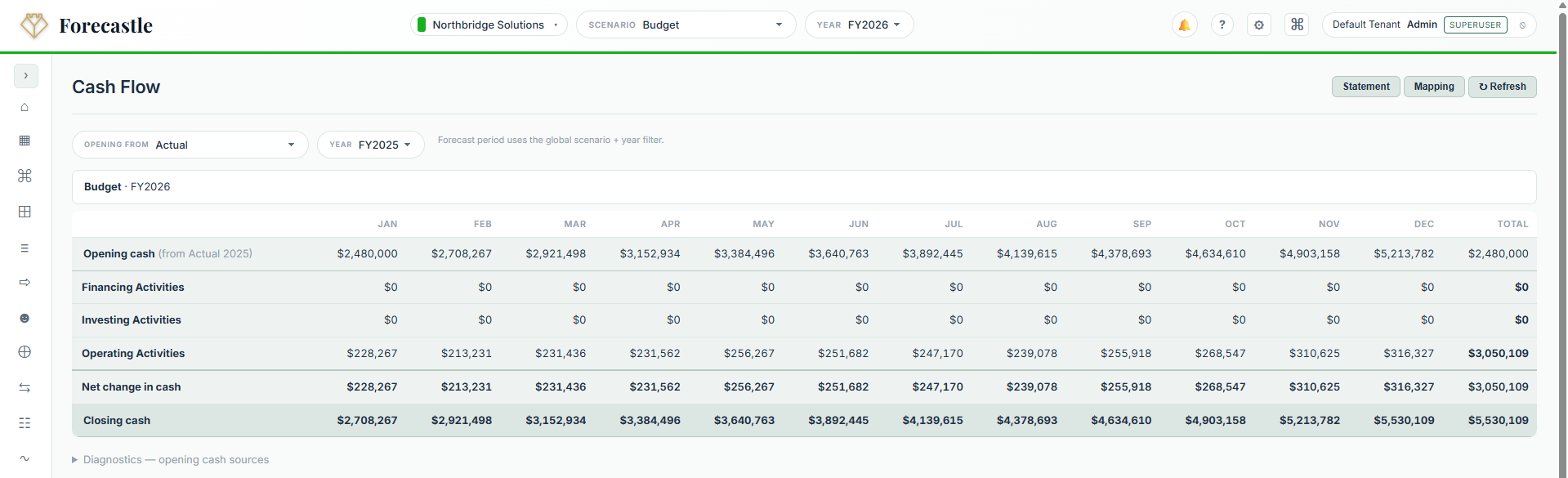
Cash flow forecasting
Twelve months of cash, starting from the balances already in QuickBooks. The view most owners ask for first.
Core
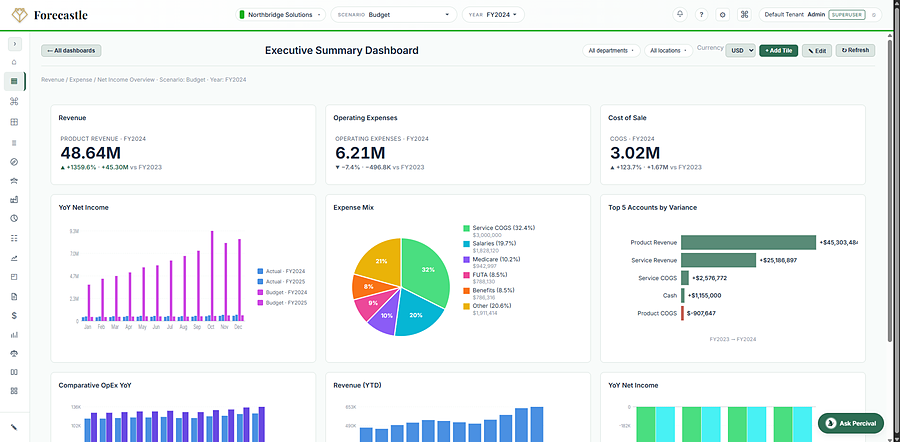
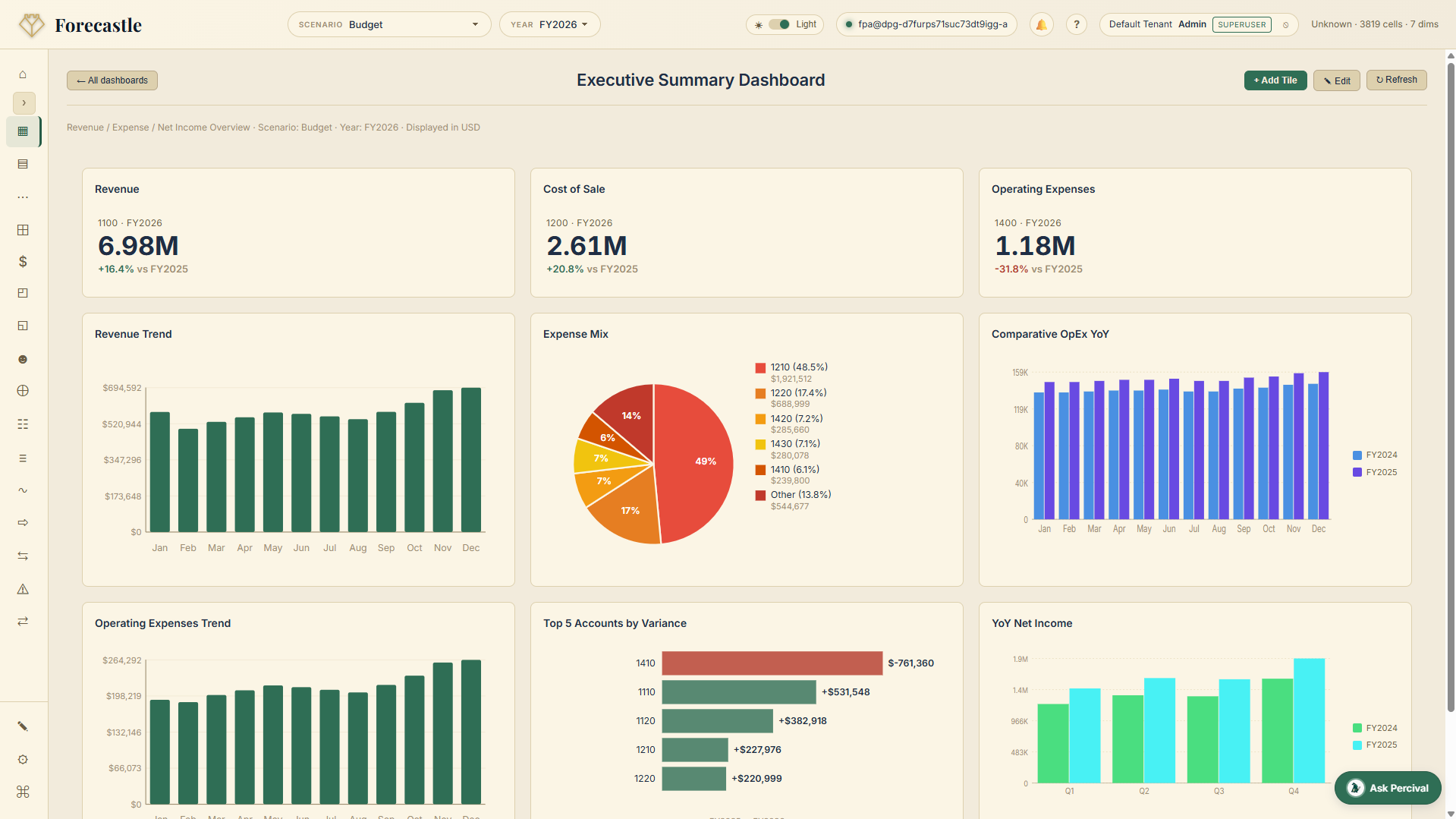
Dashboards
KPI tiles and charts off your live QuickBooks actuals. Build the owner’s view once and it refreshes itself every month.
Core
Reports
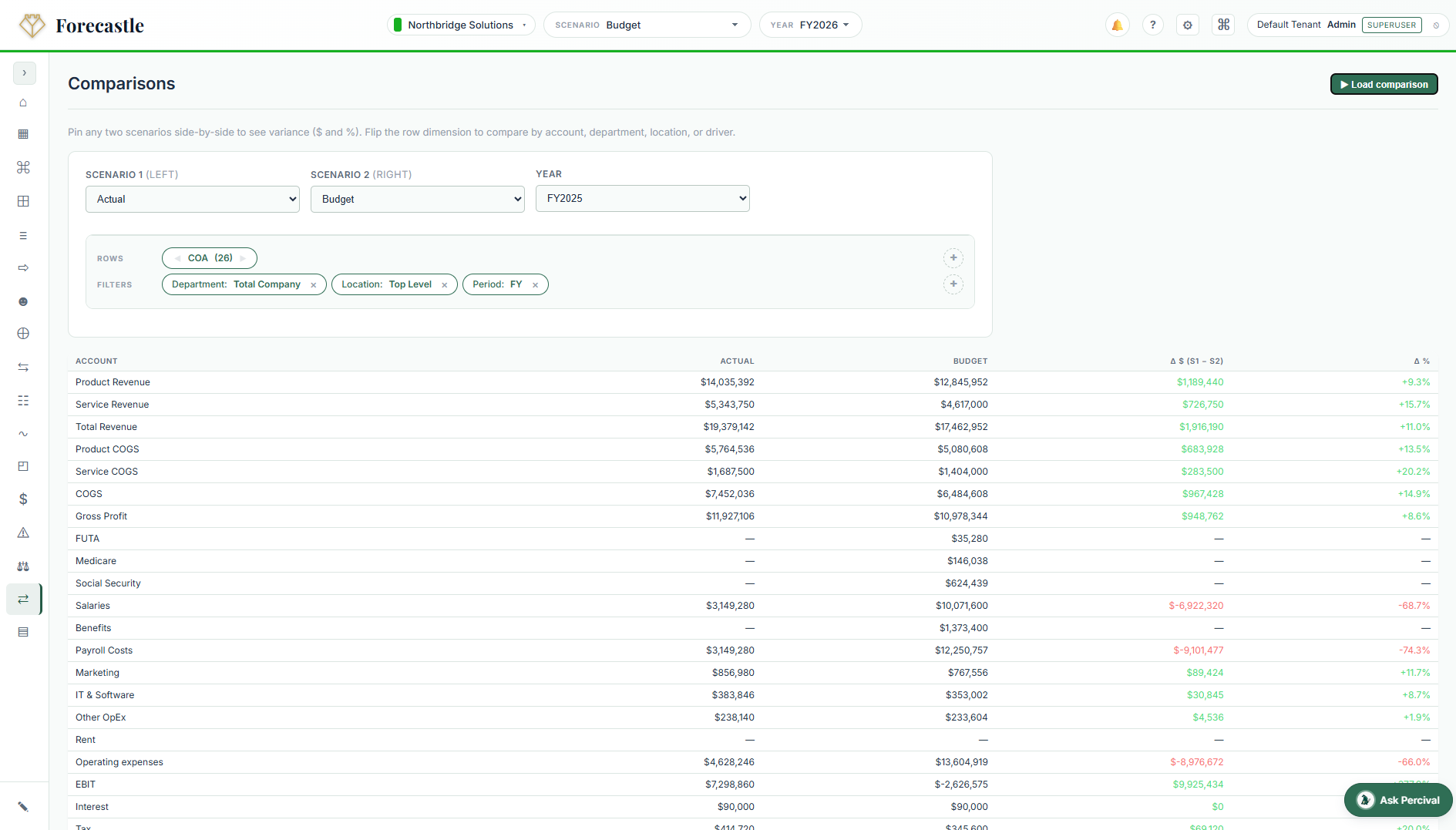
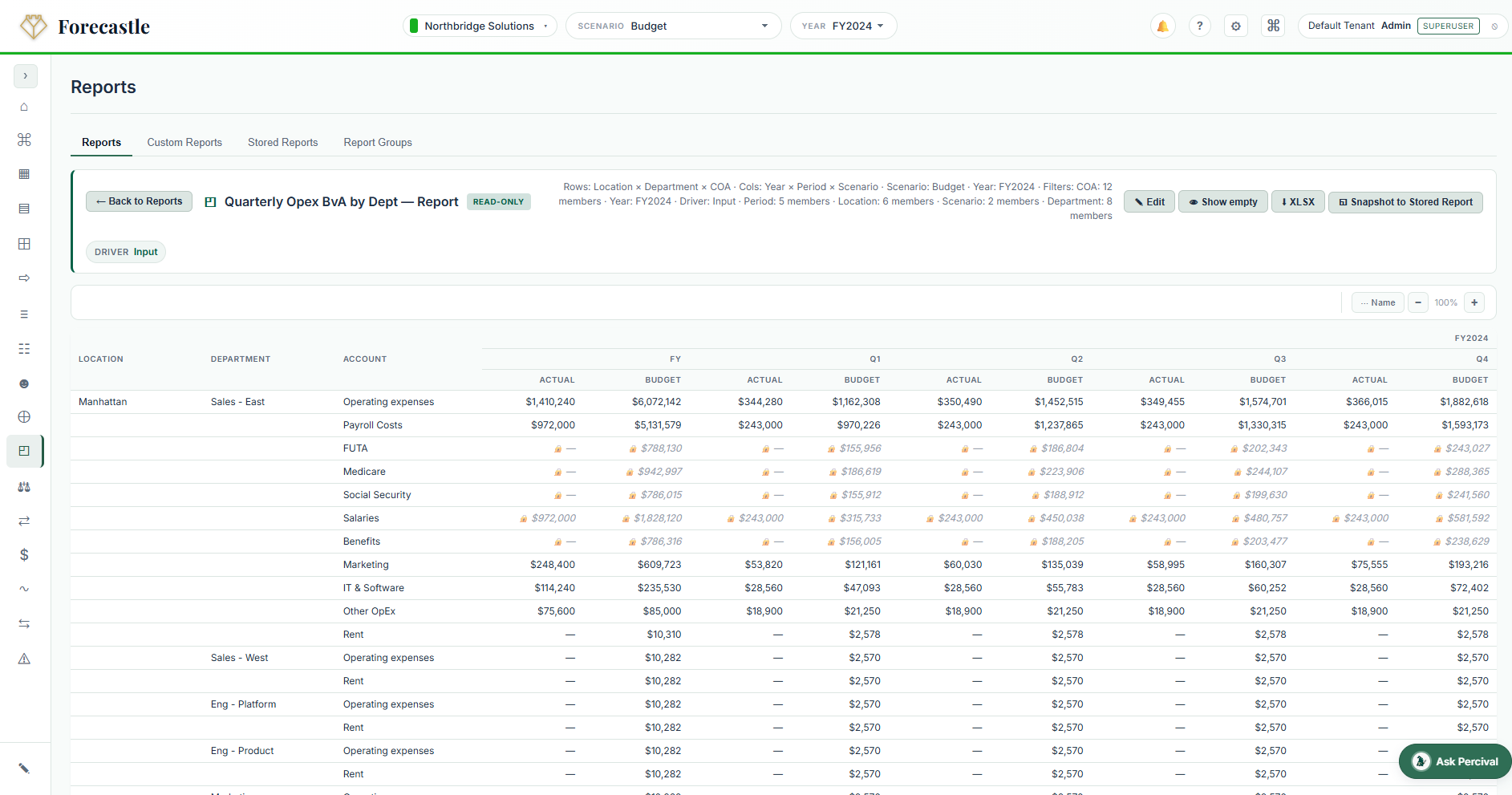
Slice by department, location, month, or scenario. Save the layout, send it out, and the totals always tie back to QuickBooks.
Core
Board and lender packs
Write the commentary once and drop in tables and charts that refresh themselves. No pasting screenshots into Word the night before.
Core
Close checklists
Who does what, by when, and how far along it is. Reminders go out five days and one day before, so nothing slips.
Core
Google Sheets add-in
Prefer to work in a spreadsheet? Pull your live Forecastle numbers into Google Sheets and write changes back. No stale copies.
Core
Several QuickBooks companies
Connect each company separately. Each keeps its own chart of accounts, and Forecastle consolidates them for you. From $50/month per extra company; the first one’s included.
Advanced
Driver-based planning
Plan off headcount, units sold, or a percentage of revenue. Change one input and the whole plan updates in front of you.
Advanced
Scenarios
Best case, worst case, what-if-we-hire. Compare them side by side and switch the whole report set over in one click.
Advanced
Headcount planning
Salary, bonus, benefits, and payroll taxes modelled per role, with start dates and backfills. It all flows into the plan.
Advanced
Variance alerts
Set a threshold on any account. If actuals drift more than you allowed, the right person gets an email before the owner asks.
Advanced
Fixed assets
Capex and depreciation schedules that roll into the balance sheet and cash flow, instead of living in a separate Excel file.
Advanced
Account reconciliations
Balance-sheet recs with sign-off, supporting documents, and a proper audit trail. Your auditors will ask; this is the answer.
Pricing
Published, predictable, no sales process.
The QuickBooks Online connection is included on every plan. Setup is free. Pay annually and save 20%. Percival, our AI assistant, comes with every tier.
Core
$240/month
Billed annually as $2,880/year, saves $720.
For the finance team getting its first proper model live.
Every plan includes one company free. Add more and each keeps its own chart of accounts — nobody has to renumber anything to make the group report work. The more you add, the less each one costs.
A live walkthrough on a sample QuickBooks company: the connection, the budget, the forecast, the cash flow, the board pack. No slides, no script. Bring your awkward questions.
20 minutes, live, with a person
A free trial workspace afterwards to try it on your own books